Best 7 Laptops for Accountants
Accountants are the cornerstone of an economy and businesses. They take care of your businesses financial reporting, budgeting, provide guidance and even maintain taxations. Often working in the shadows they unfortunately go unnoticed in front of the flashy marketing teams.
Today I am not going to talk about the regrets or the pushed down feelings of accountants. No, today I will provide accountants such as yourself with a list of the best laptops for accountants. Because I know what you guys go through, how tough it is juggling through one client to another or visiting branch from branch doing audits.
All of these laptops are curated to improve your productivity and be as much less nuisance as possible for you while you are out there saving your company). So, let’s not wait further and jump straight onto it.
Quick Specs Comparison
Now before going in-depth regarding the laptops one by one, let’s do a quick comparison which you can use to decide which one to get. All of these laptops will easily be able to run softwares like QuickBooks, Excel, tally or any other accounting software out there. You may read more – 5 Best Laptops For Battery Life
| Laptop | Processor | RAM | Storage | Display | Weight |
|---|---|---|---|---|---|
| MacBook Air M4 | Apple M4 chip | 16GB or 24GB unified | Configurable up to 2TB | 15″ Retina, Liquid Retina, 2880 x 1864 | 1.5Kg |
| Samsung Galaxy Book3 Pro 360 | Intel Core i7-1360P | 16GB LPDDR5 | 1TB NVMe SSD | 16″ WQXGA AMOLED Touch (2880 x 1800) | 1.8Kg |
| ASUS Zenbook Q420VA EVO | Intel Core i7-13700H | 16GB LPDDR5 | 512GB PCIe 4.0 NVMe SSD | 14.5″ 2.8K OLED (2880×1800) Touch | 1.56Kg |
| Dell XPS 13 9315 | Intel Core i7-1250U | 32GB LPDDR5 | 1TB NVME SSD | 13.4″ FHD+ (1920×1200) Touch option | 1.17Kg |
| Lenovo ThinkPad E14 | Intel Core i5-1335U | 8GB or 16GB DDR4 | 512GB PCIe 4.0 NVMe SSD | 14″ FHD+ IPS (1920×1200), Anti-glare Touch | 1.41Kg |
| Microsoft Surface Pro 8 | Intel Core i7-1185G7 | 16GB LPDDR4x | 256GB removable SSD | 13″ PixelSense Flow touchscreen, 2880 x 1920, 10-point multi-touch | 891g |
| HP ProBook 450 G10 | Intel Core i5-1335U | 8GB DDR4 | 512GB PCIe NVMe SSD | 15.6″ FHD (1920×1080) | 1.79Kg |
MacBook Air M4 15”
Let’s start this list with the MacBook Air M4. The MacBook Air M4 is an ultra light laptop which is smaller and lighter than your average laptop.
Yes this might seem like a weird take but the specs justify it. The M4 chip can easily handle everything you throw at it. You can easily run multiple complex Excel formulas without any lag. You could even run QuickBooks while still being in a meeting, sharing your screen with video and even then it won’t face any issues.
Now, the main reason I picked the MacBook Air variant rather than the base or Pro variant is because of its portability. I know how difficult it is carrying literal brick sized and weight laptops from one branch to another to different clients offices.
This Air is very light, coming at just 1.51Kg it can easily be shoved inside a laptop bag and you will forget it was ever there. Its display is also magnificent. The 15-inch liquid retina display is a sight to behold. During your off time you could enjoy movies with utmost clarity and colors.
Another issue you might face would be with accounting softwares. But, the thing is most software that is used now is being switched to cloud. And already there are lots of cloud based softwares being used by the biggest companies. This means you should be safe even with Apple’s operating system.
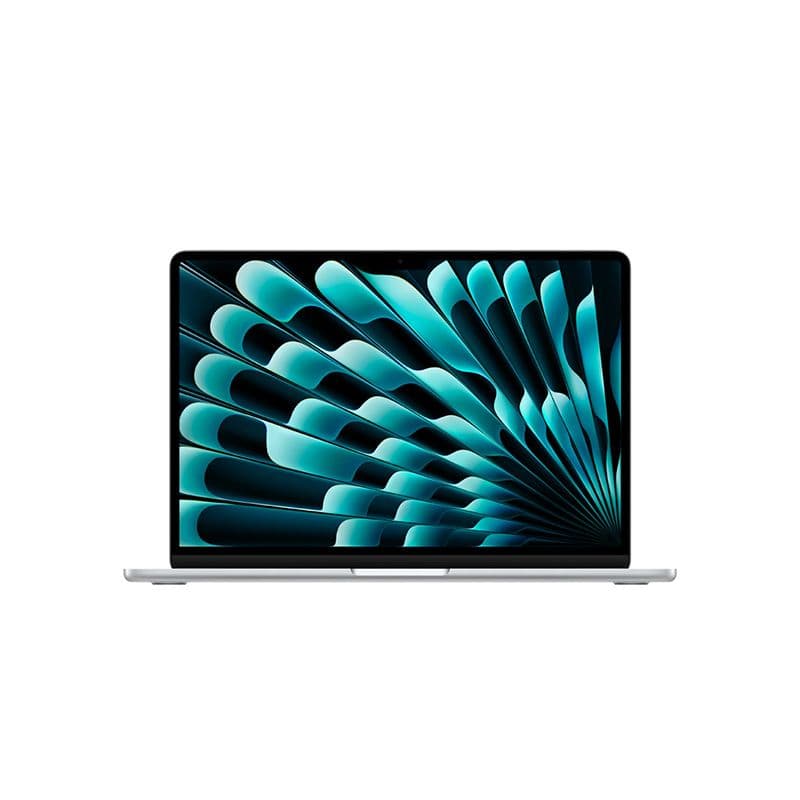
MacBook Air M4 15-Inch
- Display – 15.3-inch Liquid Retina | IPS | 2880×1864 | 500 nits | True Tone
- RAM (Memory) – 16GB / 24GB Unified LPDDR5
- ROM (Storage) – Configurable up to 2TB
- Processor (CPU) – Apple M4 Chip (10-Core CPU)
- Graphics (GPU) – 10-Core GPU
- Weight – 1.5kg
Samsung Galaxy Book3 Pro 360 i7 13th Gen 16″
So technically speaking the first actual “laptop” that I am going to talk about is going to be the Samsung Galaxy Book3 Pro 360 i7 13th Gen 16″. This pick is also as confusing as the last one.
Samsung, a brand mostly known for its smartphones also has some really good laptops. And today the laptop in question would be the Book3 Pro 360. This laptop has the largest display in this list.
More on the display, in one word it is absolutely stunning. Colors pop, blacks are deep, and working late nights becomes less of a chore when your display looks this good. The 2880 x 1800 resolution gives you plenty of space for those endless columns.
Even the keyboard of this laptop is backlit which adds to its perks. Another important factor on why this laptop was selected is for its numpad. Yes, this one does come with a numpad which I know many accountants look for.
The name 360 is also not just for show, the screen actually bends completely. It can easily flip, fold and transform into any position you need.
-1743.jpg&w=1920&q=75)
Samsung Galaxy Book3 Pro 360 i7 13th Gen
- Display – 16-inch WQXGA+ AMOLED | 2880×1800 | 120Hz | Touch Screen
- RAM (Memory) – 16GB LPDDR5
- ROM (Storage) – 1TB NVMe SSD
- Processor (CPU) – Intel Core i7-1360P
- Weight – Approx. 1.8kg
ASUS Zenbook Q420VA EVO 13th Gen
The third laptop in our list is going to be the ASUS Zenbook Q420VA EVO 13th Gen Intel Core i7-13700H Intel Iris Xe Graphics 14.5″ Touch Laptop. This laptop looks amazing. It’s sleek and professional design fits perfectly with any workplace.
Looking at the display is also quite stunning. Their 14.5” OLED display is a treat for the eyes. Colors are deep and vibrant with this panel and blacks are actually blacks here with the pixels turning off, thus giving it near infinite contrast.
Moreover the display is also touch friendly which is very helpful when you are working with large sheets and can easily move between them with your fingers. This laptop also comes with ample amount of RAM with which you can forget about lag in your laptop.
Moreover weighing at just 1.56 kg this laptop is extremely light. You can easily carry it around from place to place and you won’t even feel it was there. So all in all this laptop is an amazing package; from touch screen to ultralight weight this laptop ticks down all that you will need.
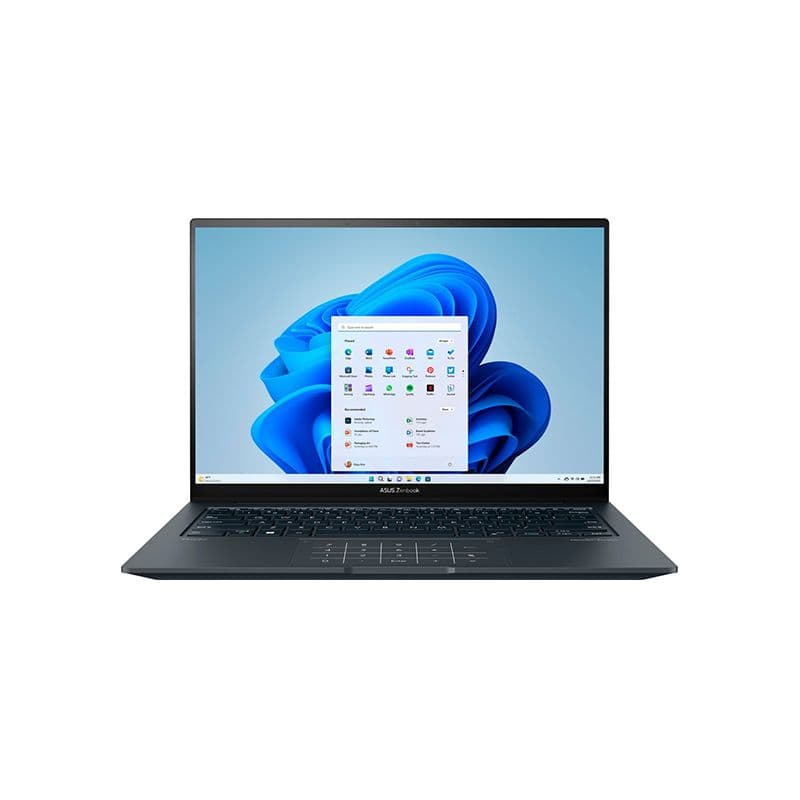
ASUS Zenbook Q420VA EVO 13th Gen
- Display – 14.5-inch OLED Touchscreen | 2880×1800 (2.8K) | 120Hz | 550 nits HDR Peak Brightness
- RAM (Memory) – 16GB LPDDR5
- ROM (Storage) – 512GB PCIe 4.0 NVMe SSD
- Processor (CPU) – Intel Core i7-13700H
- Weight – 1.56 kg
Dell Xps 13 9315 12th Gen Intel Evo Core i7-1250U
Next on our list is the Dell Xps 13 9315 12th Gen Intel Evo Core i7-1250U Intel Iris Xe Graphics 13.4″ FHD Touch Sky Laptop. Now this is a smaller laptop than all of the others I have covered till now. It is just 13.4-inches and you might ask why is this laptop even in this list?
Well the thing is the bigger one is not always the better one. Sure you are going to miss out on a big screen but think of the other sides. This laptop is unbelievably light. It weighs just 1.17Kg! Think about it, with all the travelling and moving around wouldn’t having something this light provide you and your back some relief?
Even while being this light and small Dell does not skimp out on specs with this laptop. You get 32GB DDR5 RAM which is honestly overkill at this point. Running multiple apps and multiple Excel sheets with complex queries will not be an issue at all.
Now when you look at it’s display size, it might be the only downside since it will be smaller than average but this laptop is FHD+ which means it is 1920 x 1200 pixels, this means you get more pixels in a compact space.
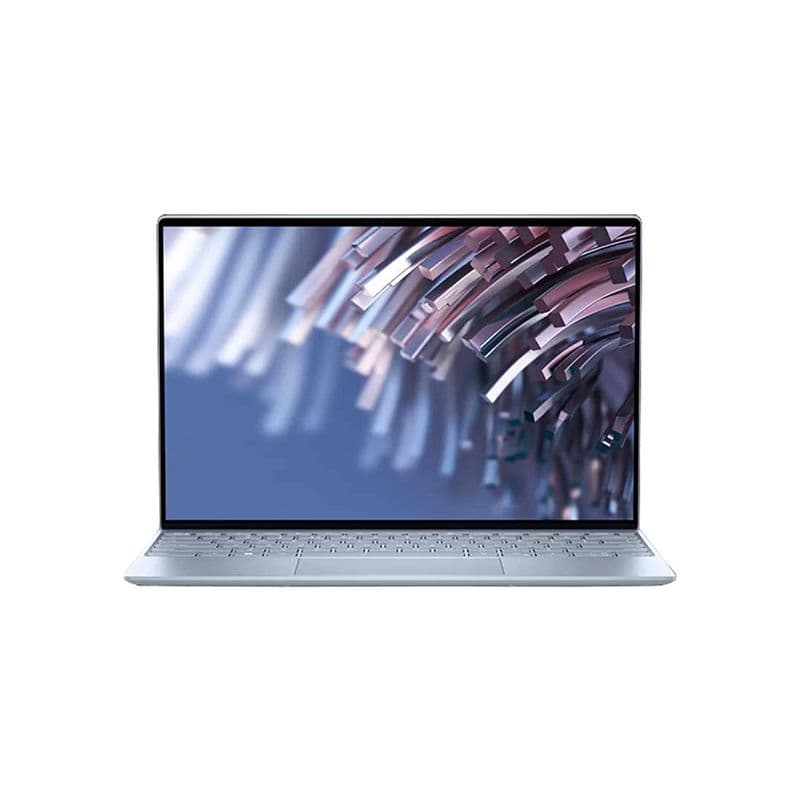
Dell XPS 13 9315 12th Gen Intel Evo Core i7-1250U
- Display – 13.4″ FHD+ (1920×1200) | Touch Option
- RAM (Memory) – 32GB LPDDR5
- ROM (Storage) – 1TB NVMe SSD
- Processor (CPU) – Intel Core i7-1250U
- Weight – 1.17 kg
Lenovo ThinkPad E14 Intel Core i5-1335U
I don’t think this list would be complete without a ThinkPad. Literally every single office I have been to a ThinkPad was present and it is not without reasons. ThinkPads are without a doubt a beast for productivity.
They are compact, sleek and very minimalistic. It blends in with your environment easily and the best part is that it is very easy to carry around. The ThinkPad that I am talking about specifically would be the E14.
This one comes with 16GB DDR4 RAM although not as fast as the DDR5 ones it is still more than enough to take care of all accounting softwares. From QuickBooks to multiple Excel sheets this ThinkPad can easily take care of it without any hiccups.
The display is also big enough and will not stand as an issue while working. Another important aspect of the display would be that it is anti-glare which is perfect if you are working in a bright environment with lots of lights coming in from everywhere.
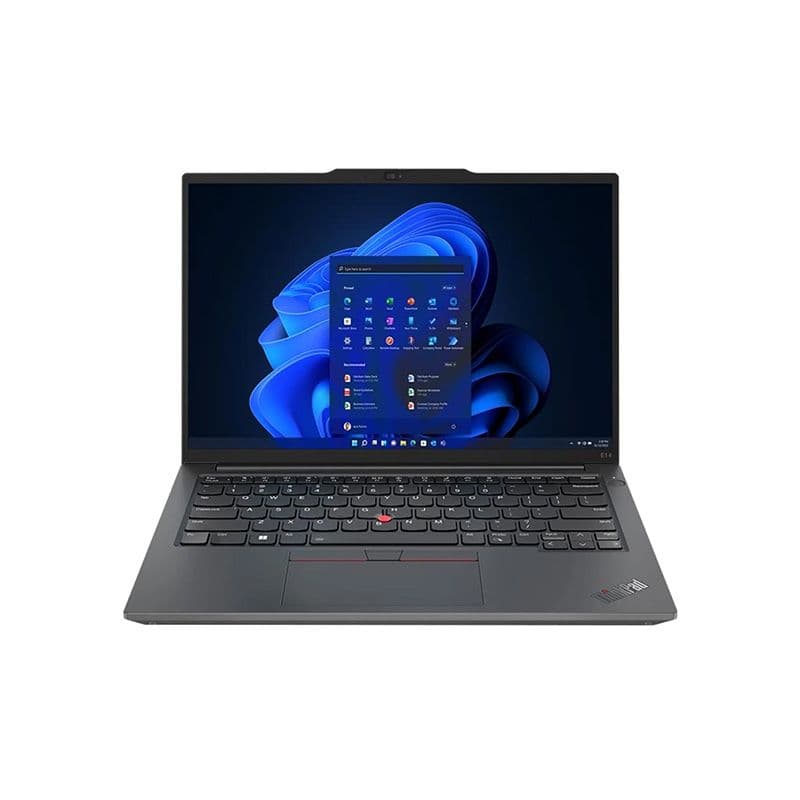
Lenovo ThinkPad E14 Intel Core i5-1335U
- Display – 14″ FHD+ IPS (1920×1200) | Anti-glare Touch
- RAM (Memory) – 8GB or 16GB DDR4
- ROM (Storage) – 512GB PCIe 4.0 NVMe SSD
- Processor (CPU) – Intel Core i5-1335U
- Weight – 1.41 kg
Microsoft Surface Pro 8 (8PV-00001) 11th Gen Core-i7
Now hear me out, don’t start skipping this one just yet. The Microsoft Surface laptops might have had a rough start and it ruined their image but you should start giving them a chance now.
And why not give them that chance with the Microsoft Surface Laptop 6.
Why is this in this list? Well you will be surprised by how light it is. Yes it is just 891g! Just under a kilogram! This laptop is so light that you will forget you ever had anything in your bag or in your hand.
The adaptive 120Hz display is also quite nice to have and it basically works by using 60Hz refresh rate when you are typing an email or just on a static screen to save battery. But if you are scrolling or viewing something that is not static, the refresh rate is automatically bumped up to 120Hz.
Another important aspect of this laptop is its webcam which is quite good, perfect for those online meetings you have to have when you are in the midst of commuting.
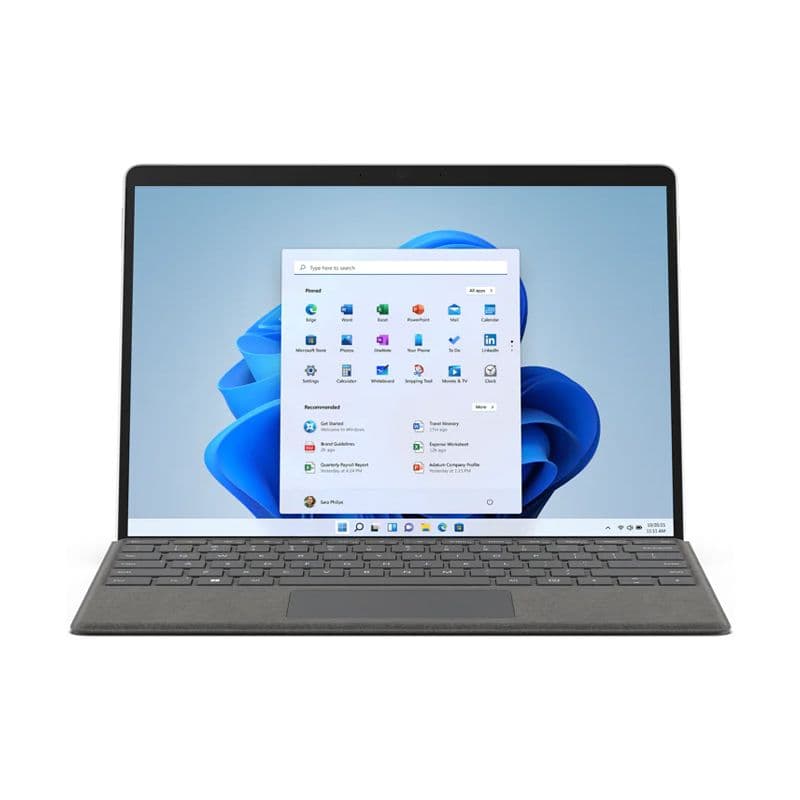
Microsoft Surface Pro 8 (8PV-00001) 11th Gen
- Display – 13-inch PixelSense Flow Touchscreen | 2880 × 1920 | 10-point Multi-touch
- RAM (Memory) – 8GB LPDDR5
- ROM (Storage) – 256GB Gen 4 SSD
- Processor (CPU) – Intel Core i7-1185G7
- Weight – 891 g
HP ProBook 450 G10 (816N8EA) Intel Core i5-1335U
Let’s end this list with the HP ProBook 450 G10. This is for accountants who are focused on ROI even in their personal purchases.
HP ProBooks have been around corporate offices forever. They’re reliable, easy to service, and IT departments love them. That counts for something when you need repairs or support.
Intel Core i5-1335U handles your daily accounting work just fine. QuickBooks, Excel, Tally – all run smoothly. 8GB RAM is adequate though bumping to 16GB wouldn’t hurt if you’re a heavy multitasker.
That 15.6″ FHD display is practical. Lots of screen space for spreadsheets without being bulky. It’s not going to wow anyone but it gets the job done comfortably.
At 1.79kg it’s the heaviest on this list. 512GB storage works for most users who don’t hoard files locally.
So why pick this? Simple – it’s affordable and dependable. Not everyone needs the latest M4 chip or OLED screens. Sometimes you just need a solid laptop that handles accounting software, doesn’t break down, and doesn’t cost a fortune. Perfect for small firms, solo practitioners, or your first work laptop. You may read more – Best Laptops For Multitasking
-1485.jpg&w=1920&q=75)
HP ProBook 450 G10 (816N8EA) Intel Core i5-1335U
- Display – 15.6″ FHD (1920×1080)
- RAM (Memory) – 8GB DDR4
- ROM (Storage) – 512GB PCIe NVMe SSD
- Processor (CPU) – Intel Core i5-1335U
- Weight – 1.79 kg
Conclusion
Look, I know choosing a laptop isn’t the most exciting part of your job. You’d rather be done with it and get back to actual work. But having the right tool matters – it’s the difference between smooth audits and constant frustration.
Each laptop on this list will handle your accounting software without issues. They’ll keep up with your task load whether you’re at the office or at a client’s place. Because let’s be honest, you’re already dealing with enough stress during quarter ends; your laptop shouldn’t add to it. You may read more – Best Dell Laptops Under 60000
I get it. You’re tired of carrying heavy laptops. Tired of batteries dying mid-presentation. Tired of waiting for Excel to stop freezing while your client stares at you. These things pile up and honestly? You’ve got enough on your plate already.
So pick whichever one makes sense for you and grab it from Vertech. They’ll sort you out.
Now go get that laptop and get back to what you do best; keeping everything balanced while everyone else takes the credit.

Jiaan is a tech enthusiast and an audiophile who loves diving into the latest gadgets and soundscapes. You’ll often find Jiaan active on forums and Reddit, sharing insights and engaging with the community. By day, Jiaan is a digital content writer, crafting engaging stories.